
Refunding an item on a customer’s order
When possible, the customer should send their items back to the store for a refund. However, in the event the item cannot be sent back, please follow the guide below.
- Just because you CAN refund an item does not mean you should. Please do not refund full items without confirming a refund is owed.
Refunding an item on a customer’s order
1. Navigate to the customer’s sales order

2. Select “Edit”

3. Select “Customer Service Comments” and leave a detailed comment

4. Select the “Items” tab

5. Select the item you are trying to refund

6. Select the “Refund Reason” column

7. Select your refund reason

8. Select “Refund Quantity” and add the quantity you want to refund

9. Select the “Line SO Issue” column

10. Select your line issue

11. Select “OK”

12. Select “Submit”

Refunding a partial amount of an item on a customer’s order
Refunding less than the full amount of an item is entirely possible. Please follow the guide below to process a partial refund.
- Partial refunds may be processed for retroactive discounts or customer satisfaction.
Refunding a partial amount
1. Navigate to the customer’s sales order

2. Select “Edit”

3. Select “Customer Service Comments” and leave a comment about the refund

4. Select “Save”

5. Select the “Related Records” tab

6. Select “Fulfillments & Invoices”

7. Select the blue date link on the invoice

8. Select “Credit”

9. Select “Gift Return”

10. Select “No”

11. Select the “Items” tab

12. Select the item you are looking to refund

13. Select the “Amount” column and enter 0

14. Select the “amount” column and type the price you are looking to refund

15. Select “OK”

16. Select “Submit”

Refunding a customer’s shipping
Refunding a customer’s shipping cost is one of the easiest ways to de-escalate a situation without costing Rally House a large amount of money. If the customer’s order is delayed or you would like to provide additional assistance to the customer, please follow the guide below.
- There are 5 shipping methods customers can choose from, depending on the item. Standard shipping, 3-day shipping, 2-day shipping, and next-day shipping.
- Rally House only ships on business days, and all orders must be placed before 11 am to be shipped that same day.
- Please keep these two things in mind before considering an order delayed.
Refunding Shipping
1. Navigate to the customers sales order

2. Select “Related Records”

3. Select “Fulfillments & Invoices”

4. Select the blue date link on the invoice

5. Select “Credit”

6. Select “Gift Return”
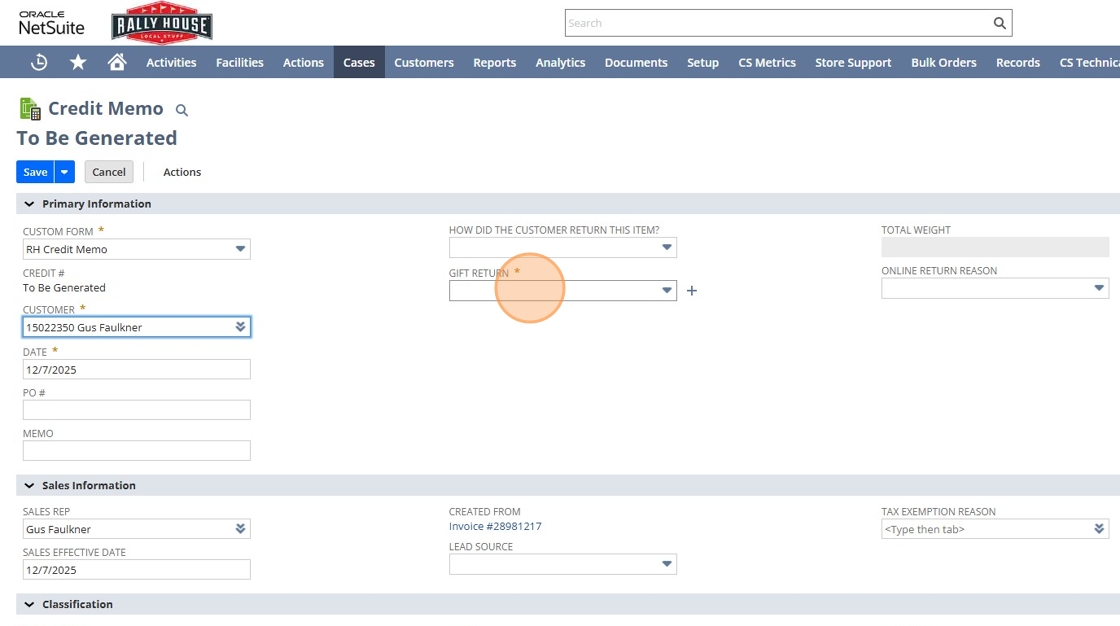
7. Select “No”
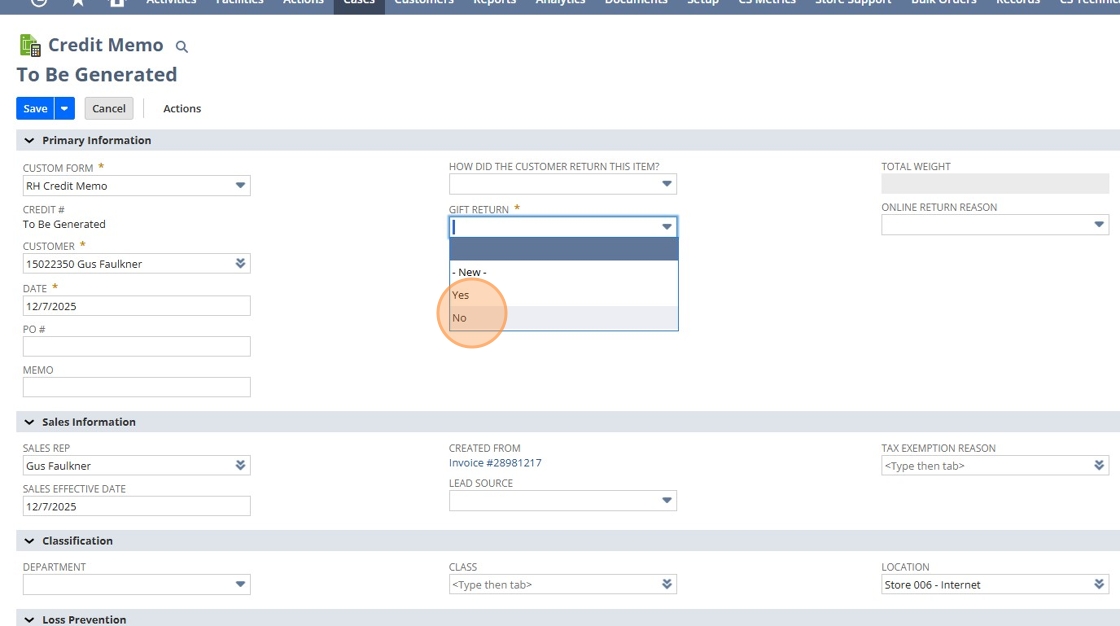
8. Select “Online Return Reason”

9. Select “Shipping Refund (CS use only)”

10. Select the “Quantity” column and enter 0

11. Select “OK”

12. Select the “Shipping” tab

13. Select the calculator icon

14. Select “Submit”
