** Green- potentially out of stock, Blue- Dropship items or out of stock items, Red- pending billing, and Orange- Hot Market items**
Green Chuckle
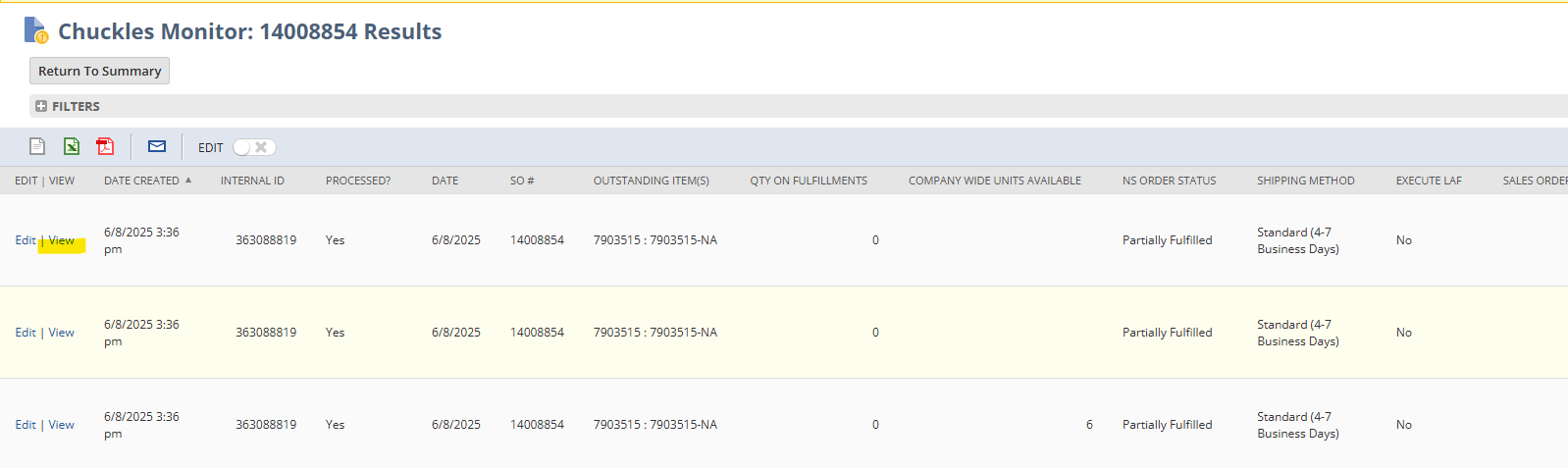
- On the homepage of NetSuite click on Chuckles Monitor
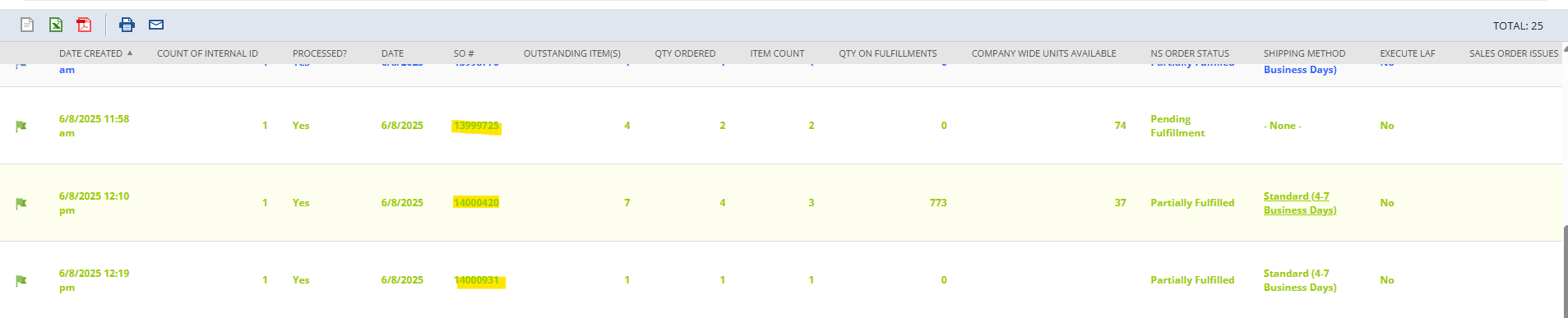
- Click on the Sales Order Number
- Click View
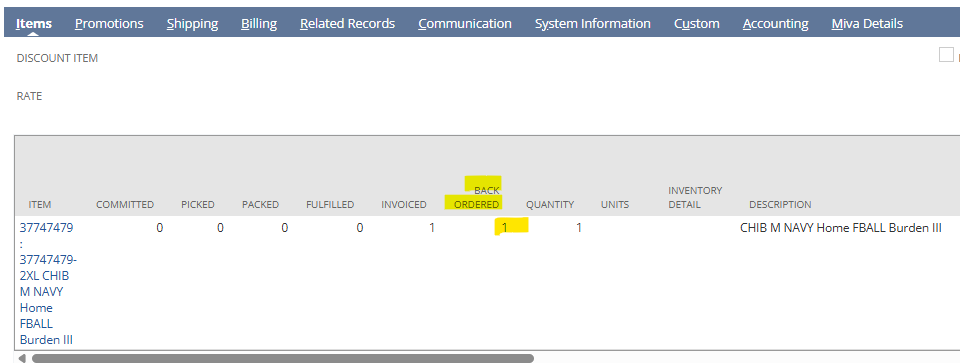
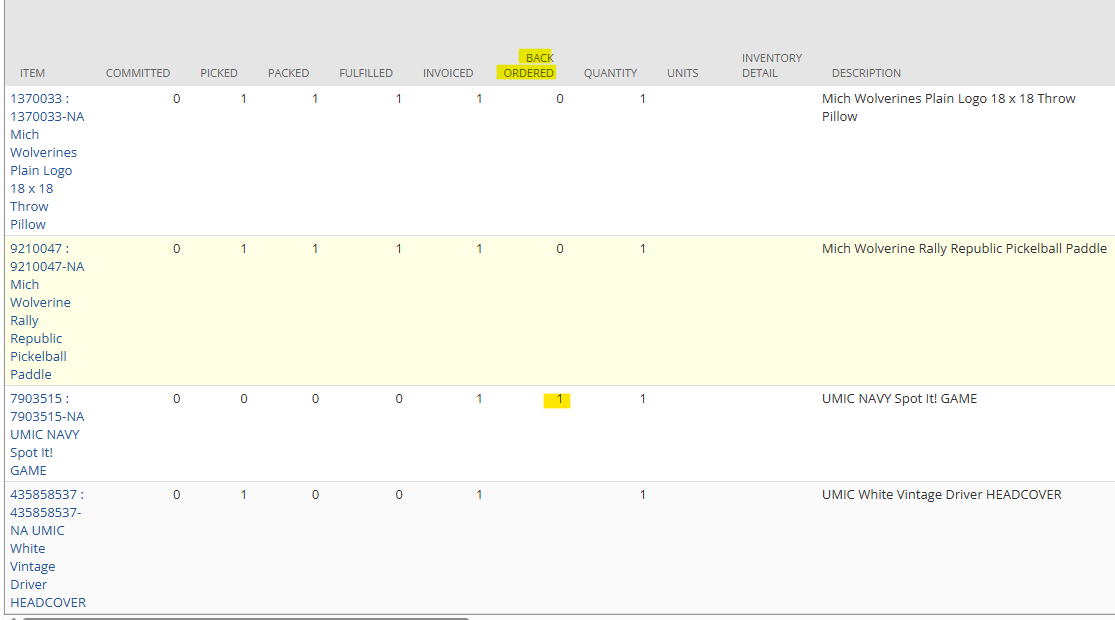
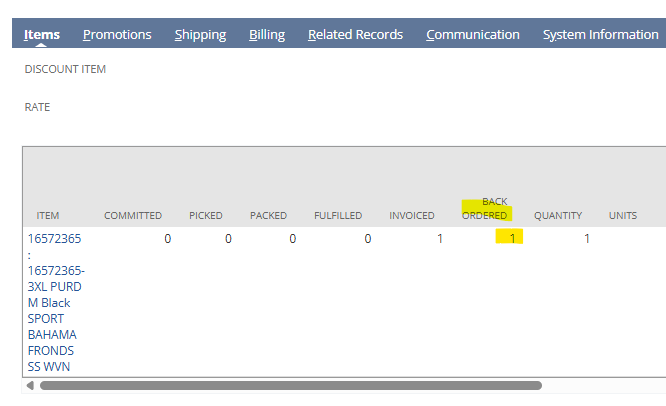
- Scroll down to line items and locate which styles are appearing in backorder
- Right click on style number and open in new tab
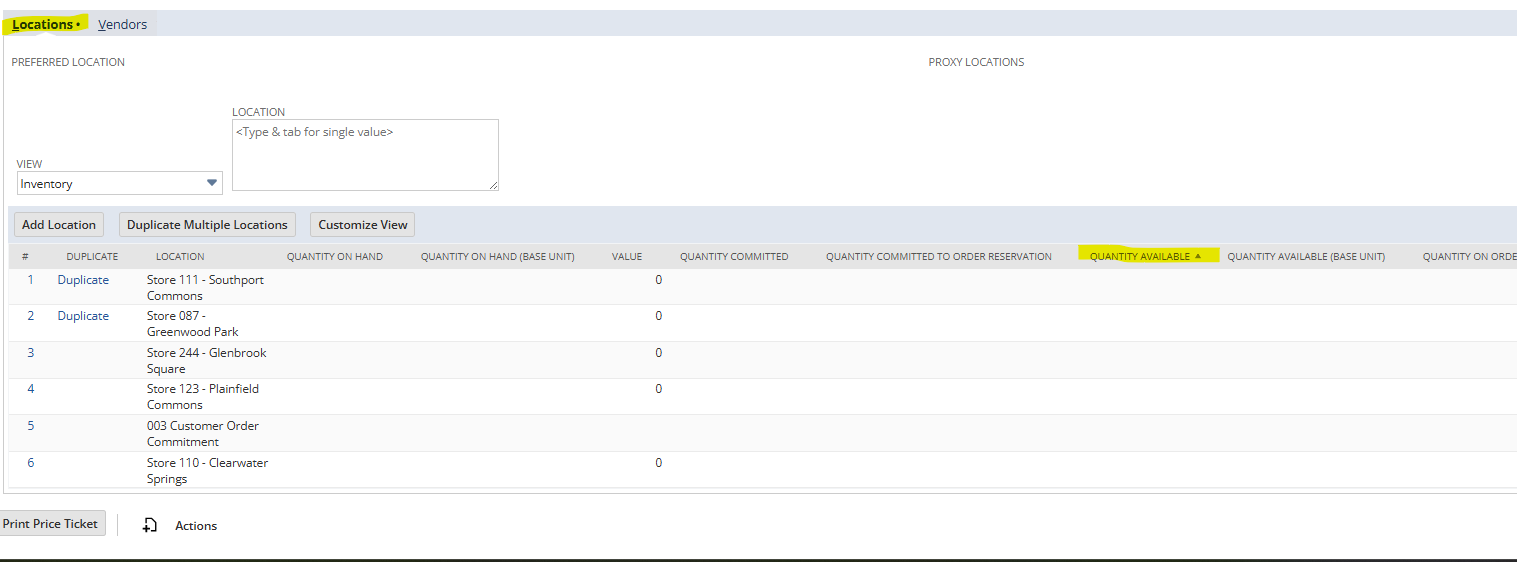
- On Inventory page scroll down to locations
- Check Quantity Available
- If there is an amount check to make sure that store location is turned on
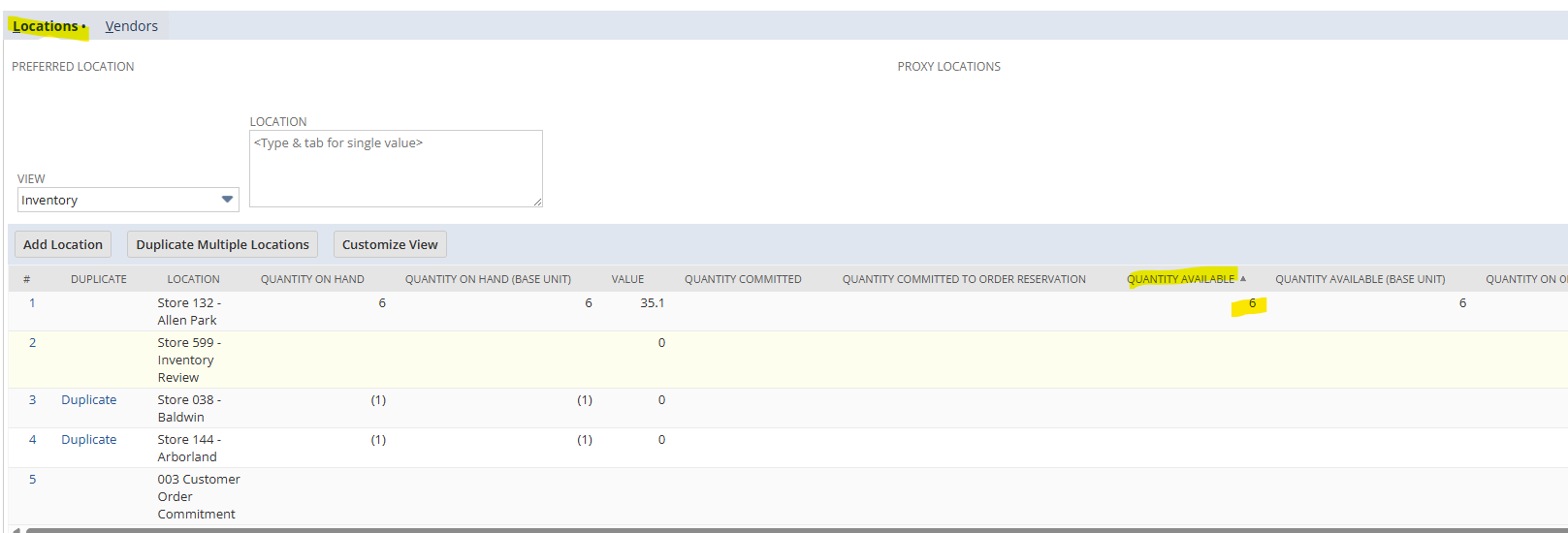
- Check Quantity Available
- Go back to Sales Order
- If Item is in Stock
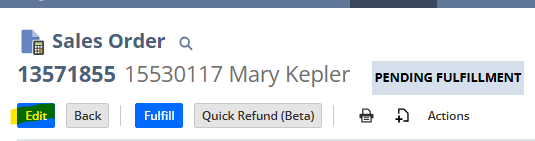
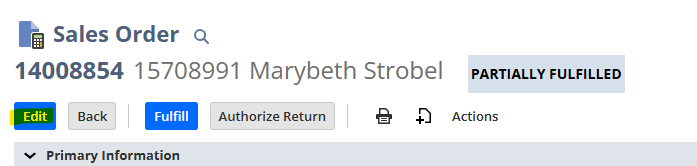
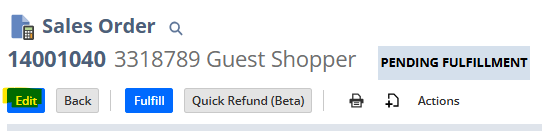
- Click Edit
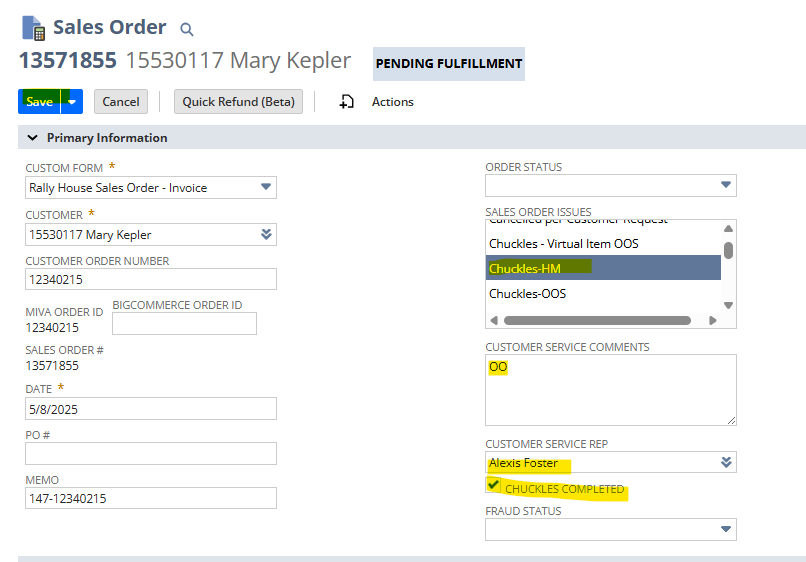
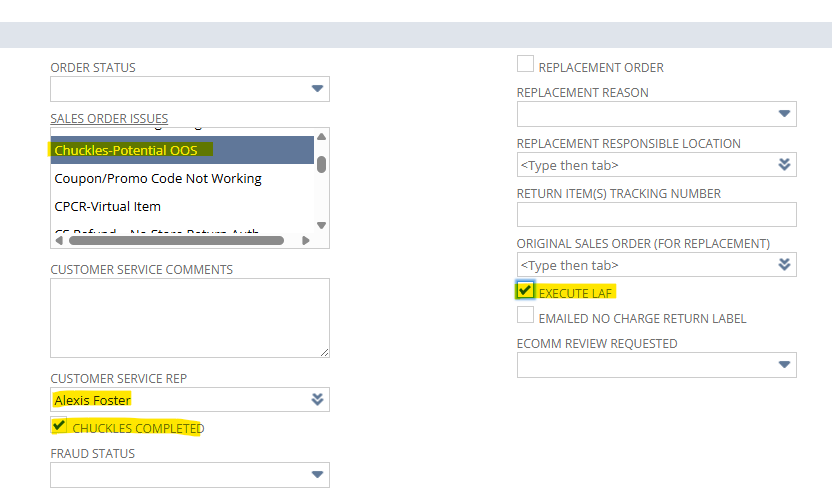
- Scroll to Sales Order Issues
- Control Click Chuckles-Potential OOS
- Type your name into Customer Service Rep Box
- Check Chuckles Completed Box
- Check Execute LAF
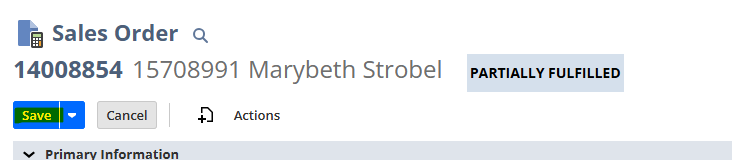
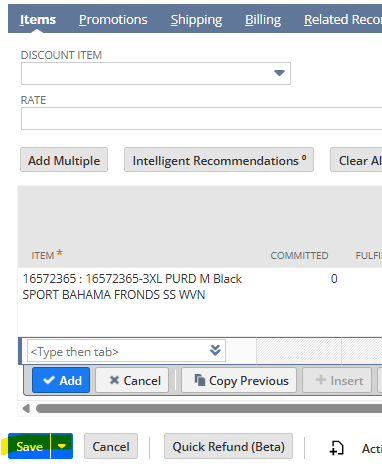
- Click Save
- If item is Out of Stock
- Click Edit
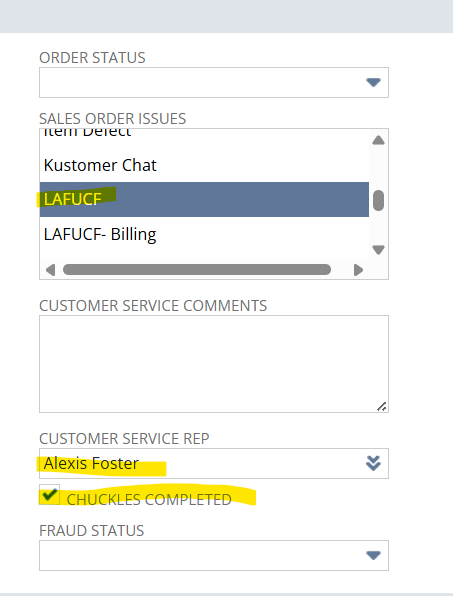
- Scroll to Sales Order Issues
- Control Click Chuckles-Potential OOS
- Control Click LAFUCF
- Type your name into Customer Service Rep Box
- Check Chuckles Completed Box
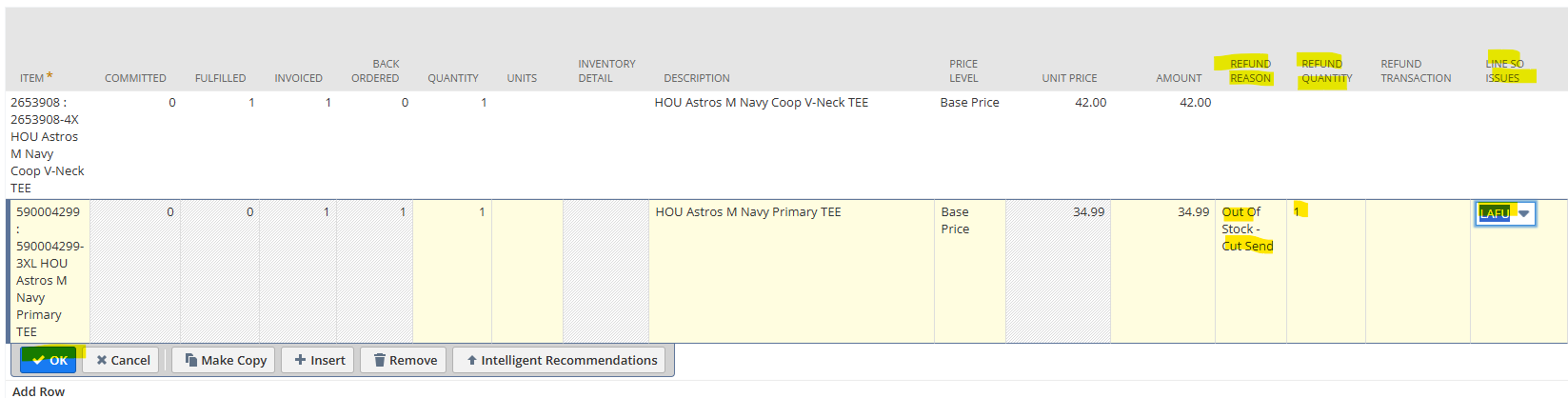
- Scroll to line items
- Click on item out of stock
- Click Refund Reason
- Out of Stock- Cancel Order if only item on Sales Order
- Out of Stock- Cut Send if there are other items on the Sales Order
- Refund Quantity
- Amount that is backordered and cannot be fulfilled
- Line SO Issue
- LAFUCF
- Click Refund Reason
- Click Ok
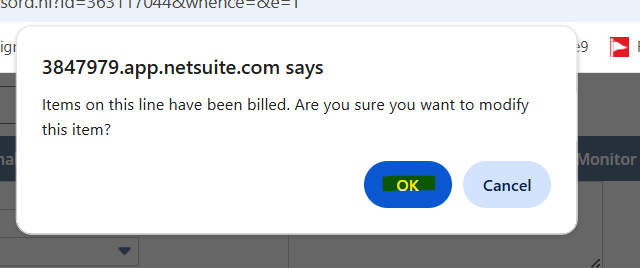
- Click Ok on the popup
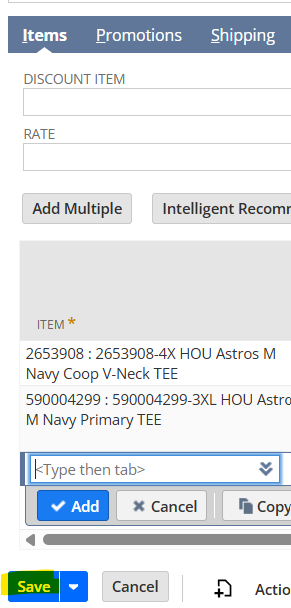
- Click Save
Blue Chuckle
- On the homepage of NetSuite click on Chuckles Monitor
- Click on the Sales Order Number
- Click View
- Scroll down to line items and locate which styles are appearing in backorder
- Right click on style number and open in new tab
- On Inventory page check season code for DS
- If season code is DS
- Check website to see if item is available
- If item is available reach out to Dropship via teams
- If Item is not available proceed to cancel
- Check website to see if item is available
- On Inventory page scroll down to location
- Check Quantity Available
- Go Back to Sales Order
- Click Edit
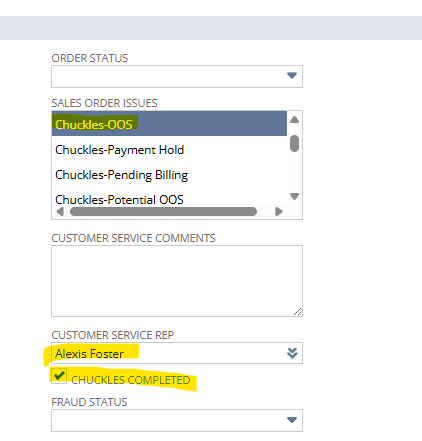
- Scroll to Sales Order Issue
- Control Click Chuckles-OOS
- Control Click LAFUCF
- Type your name into Customer Service Rep Box
- Check Chuckles Completed Box
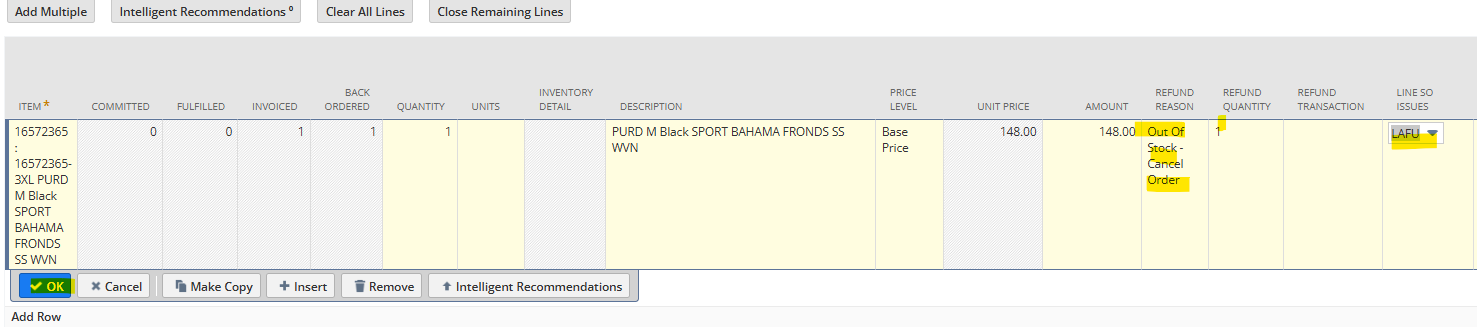
- Scroll to line items
- Click on item out of stock
- Click Refund Reason
- Out of Stock-Cancel Order if only item on Sales Order
- Out of Stock-Cut Send if there are other items on the Sales Order
- Refund Quantity
- Amount that is backordered and cannot be fulfilled
- Line SO Issue
- LAFUCF
- Click Refund Reason
- Click Ok
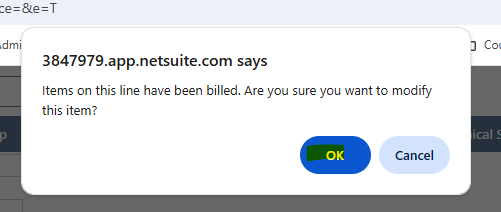
- Click Ok on the popup
- Click Save


Red Chuckle
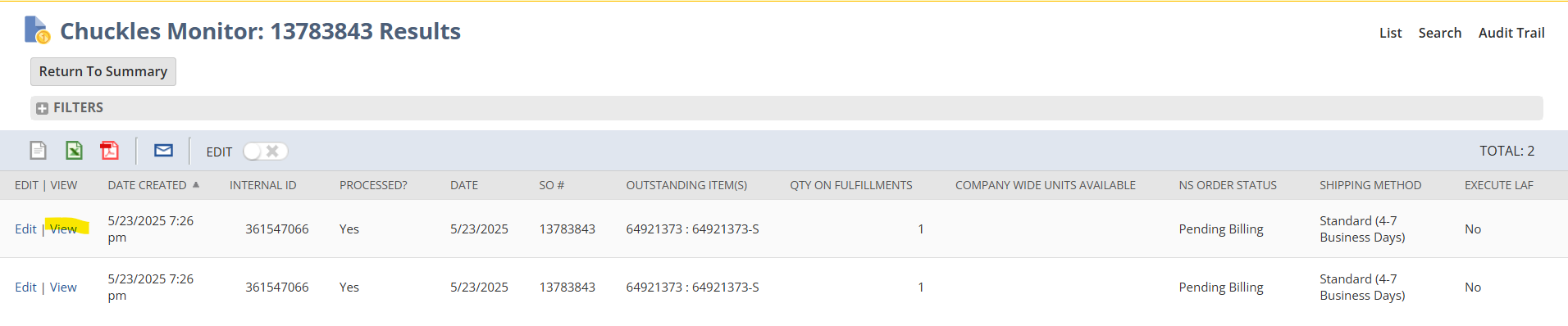
- On the homepage of NetSuite click on Chuckles Monitor
- Click on the Sales Order number
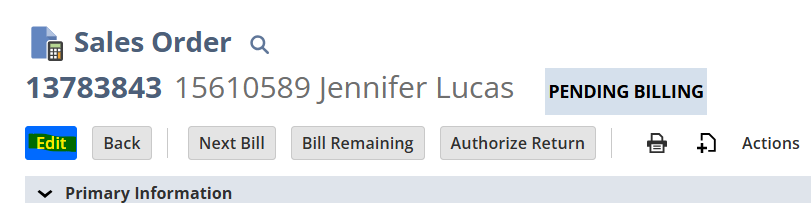
- Click View
- Click Edit
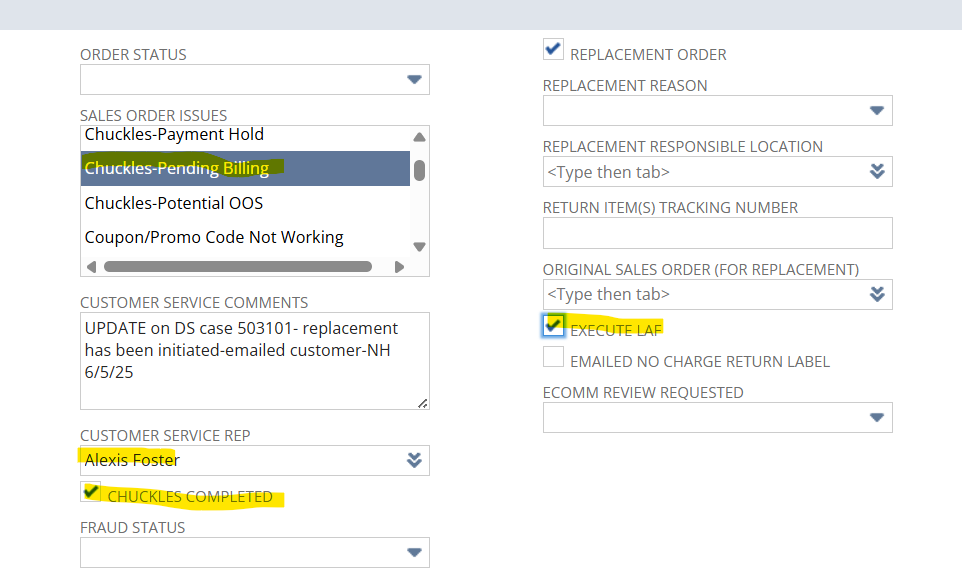
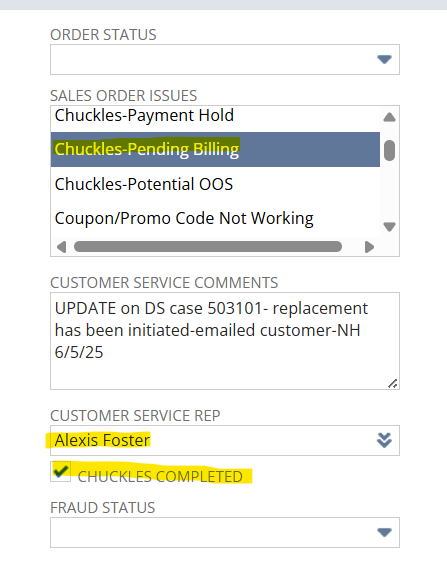
- Scroll to Sales Order Issues
- Control Click Chuckles-Pending Billing
- Type your name into Customer Service Rep Box
- Check Chuckles Completed Box
- Check Execute LAF
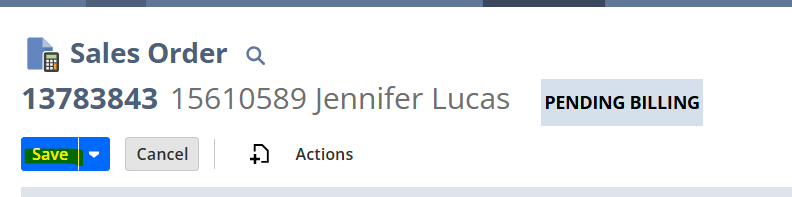
- Click Save
- If Sales Order is a Replacement
- Click Edit
- Scroll to Sales Order Issues
- Control Click Chuckles- Pending Billing
- Type your name into Customer Service Rep Box
- Check Chuckles Completed Box
- Click Save
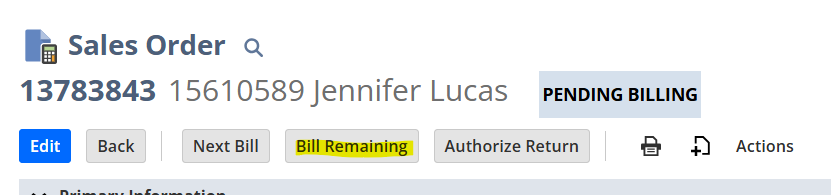
- Click Bill Remaining Button
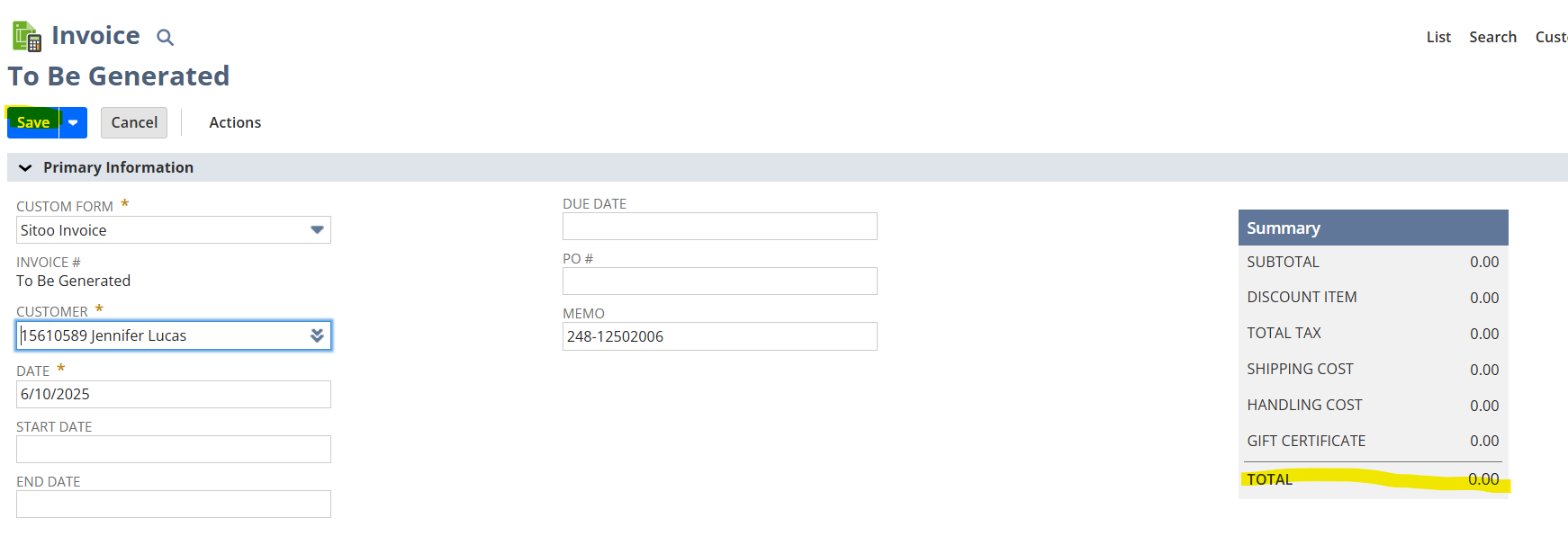
- Make sure total is at zero and click save
- Click Edit

Orange Chuckle
- On the homepage of NetSuite click on Hot Market Chuckles Monitor
- Click on Sales Order Number
- Click View
- Scroll down to line items and locate which styles are appearing in backorder
- Right click on style number and open in new tab
- On Inventory Page check season code for HM (HotMarket)
- Check Quantity Available and Quantity on Order
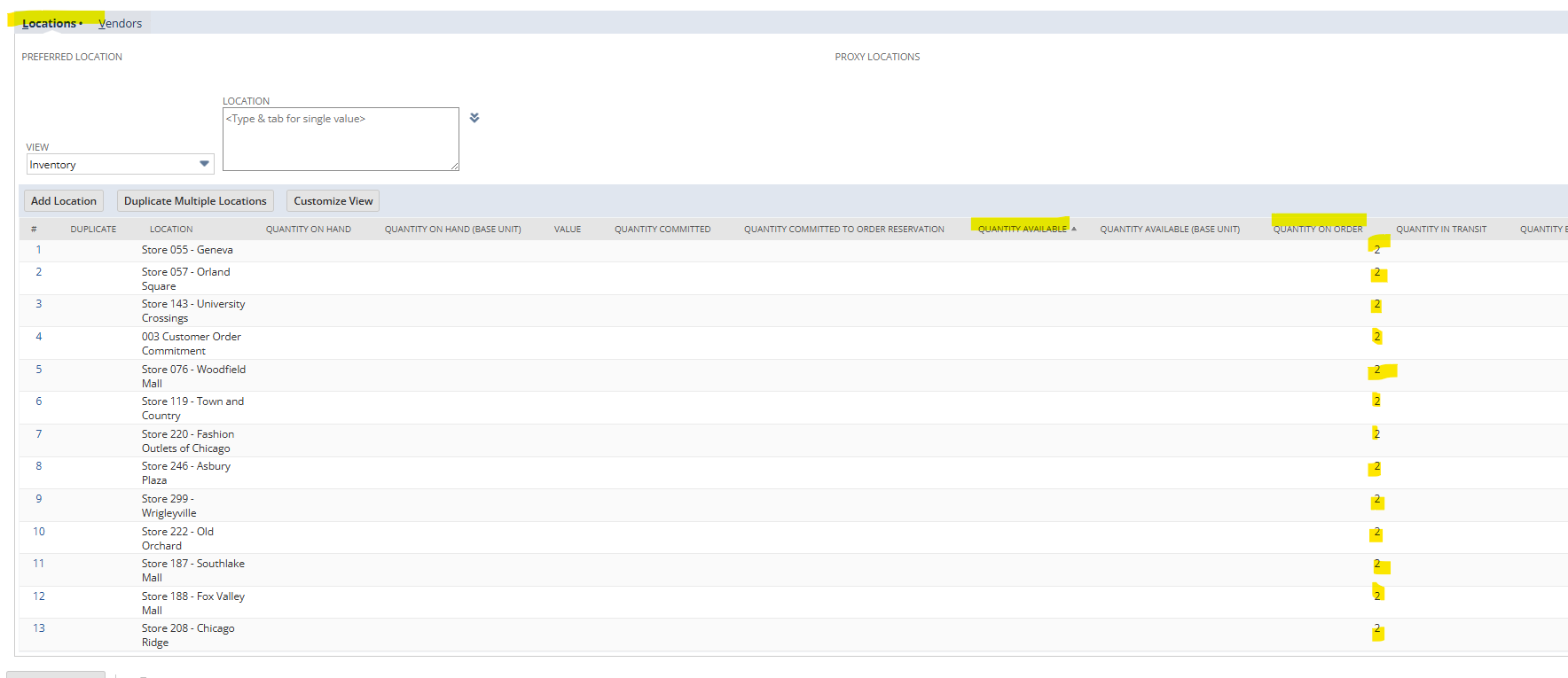
- Go Back to Sales Order
- If Item is in Stock
- Click Edit
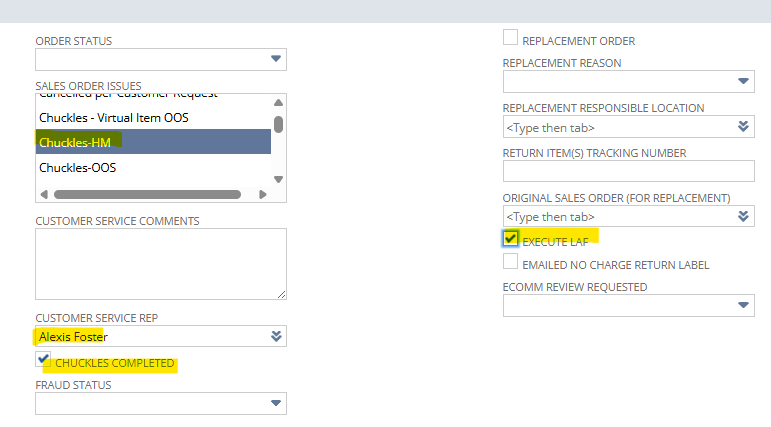
- Scroll to Sales Order Issues
- Control Click Chuckles-HM
- Type your name into Customer Service Rep Box
- Check Chuckles Completed Box
- Check Execute LAF
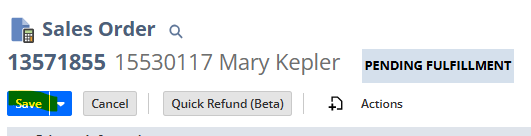
- Click Save
- If Item is On Order
- Click Edit
- Scroll to Sales Order Issues
- Control Click Chuckles- HM
- Customer Service Comments
- Type in OO for On Order
- Type in your name into Customer Service Rep Box
- Check Chuckles Completed Box
- Save