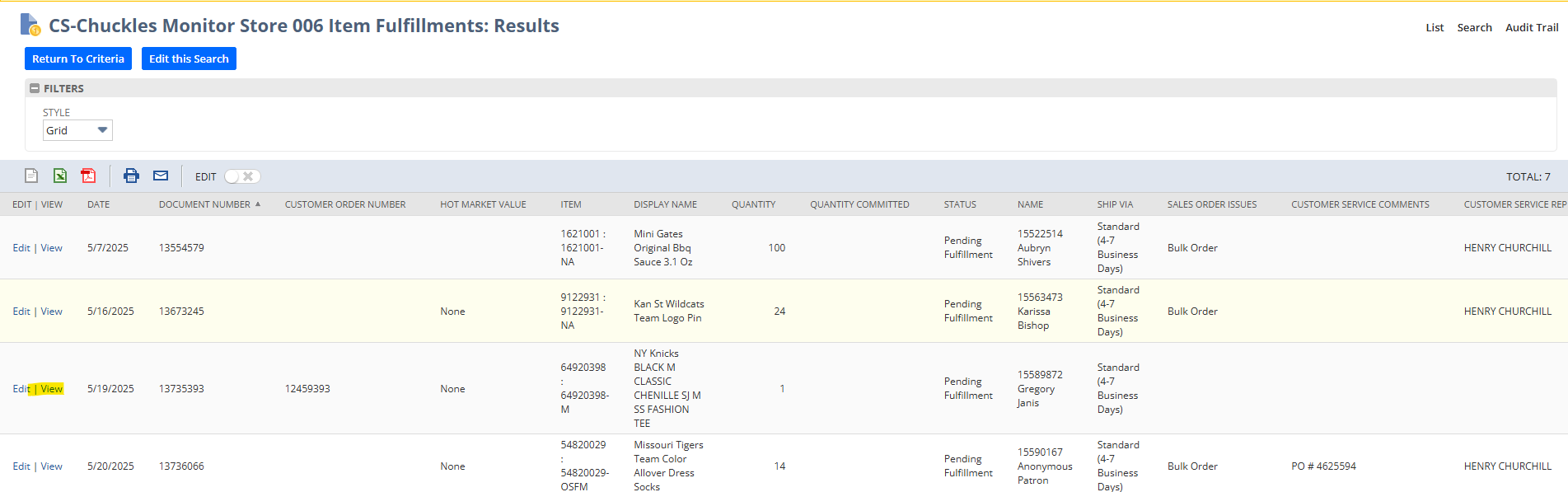
Orders with Fulfillments stuck at Store 006 location needing to either be cancelled, a purchase order created for dropship or a new location to fulfill. Do not touch Bulk Orders awaiting in this queue!
- On the home page of NetSuite click on CS-Chuckles Monitor Store 006 Item Fulfillments
- Click View
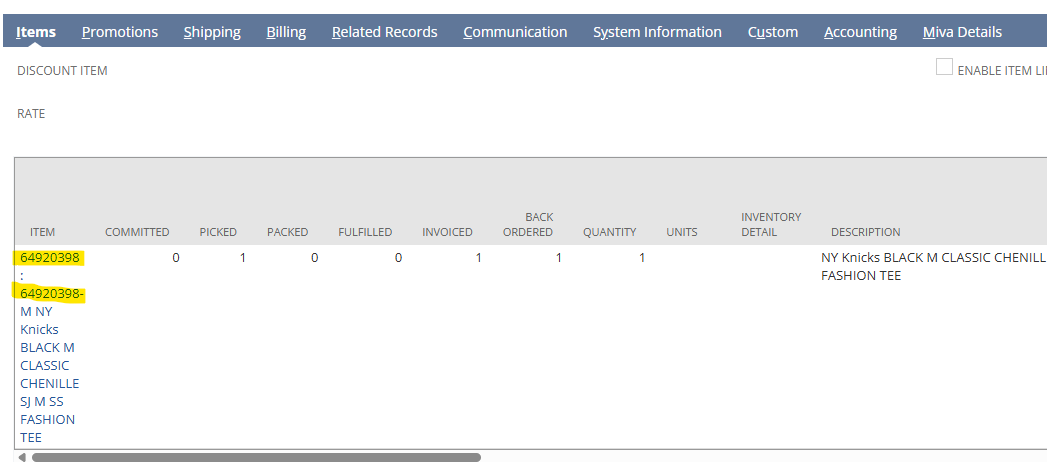
- Scroll down to line item and click on the inventory item
- Right click on inventory item to open in new tab
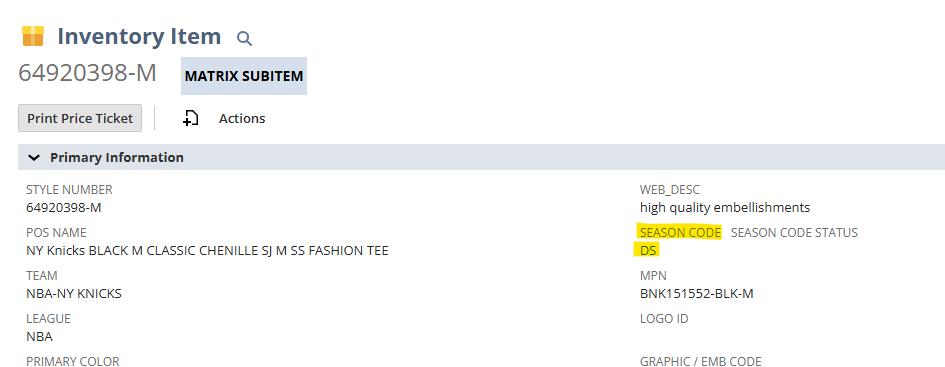
- On the inventory page check the season code to see if item is Dropship
- Season Code DS means Dropship
- If Item is Dropship
- Send a Teams Message to DS Team inquiring if a replacement can be made

- They will respond back either confirming replacement order or saying that it is out of stock
- If Dropship Item is Out of Stock
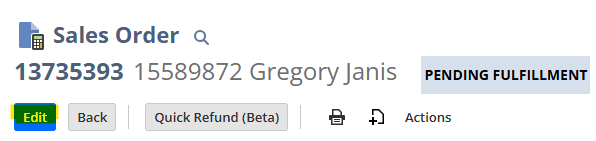
- On the Sales Order click edit
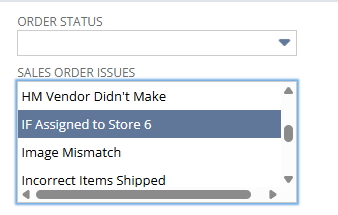
- Sales Order Issues
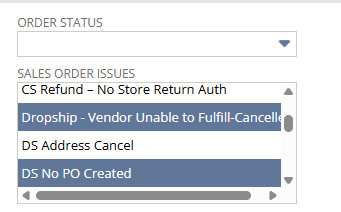
- Dropship-Vendor Unable to Fulfill-Cancelled
- DS No PO Created
- IF Assigned to Store 6
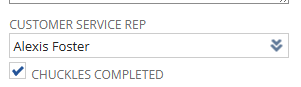
- Customer Service Rep name
- Chuckles Completed box
- Scroll to Line item and click Refund Reason
- Dropship-Out of Stock
- Click Refund Quantity
- Amount unable to fulfill- backordered
- Click Line SO Issues
- DS NO PO Created

- Save
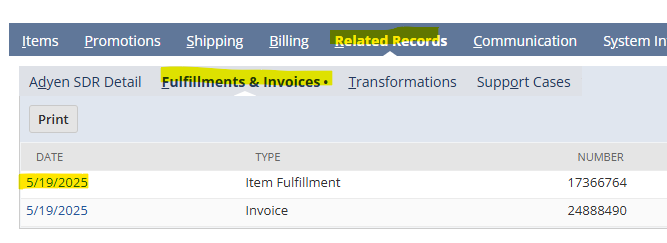
- Scroll to dark blue bar
- Click related records
- Click fulfillments and invoices
- Click Item Fulfillment
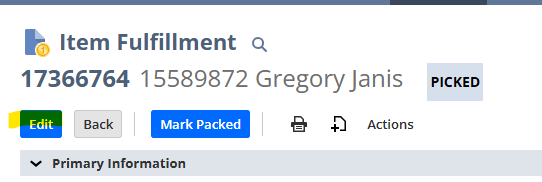
- Click Edit
- Hover over Actions and select delete
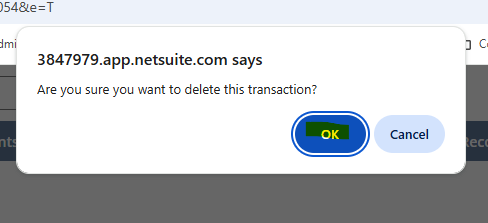
- Click Ok
- IF Item shows Inventory to fulfill from store
- Scroll to dark blue bar
- Click related records
- Click fulfillments and invoices
- Click Item fulfillment
- Click Edit
- Hover over Actions and select delete
- Click Ok
- Go back to Sales Order Page and refresh page
- A new Item Fulfillment should be created
- Scroll to dark blue bar